Why Buttons Vanish

Amina Hassan
| 18-08-2026
 · Automobile team
Hi, Readers! Step into a modern car and the dashboard can feel less like a trusty control panel and more like a giant tablet on wheels.
Physical buttons are quietly disappearing, while touchscreens, voice controls, and software menus are taking over jobs once handled by a quick tap or twist. This shift is not just about looks.
It changes how drivers interact with climate settings, navigation, media, and vehicle functions every single trip.
Cars have always relied on controls that let the driver manage direction, speed, braking, lighting, and comfort features. Traditional layouts used steering wheels, pedals, stalks, switches, dials, and buttons because they were direct and easy to learn by touch. You did not need to look down for every little adjustment. Your hand could find the volume dial or climate switch almost like reaching for the light switch in your own kitchen at night. That familiar, tactile relationship is a big part of why many people still prefer physical controls.
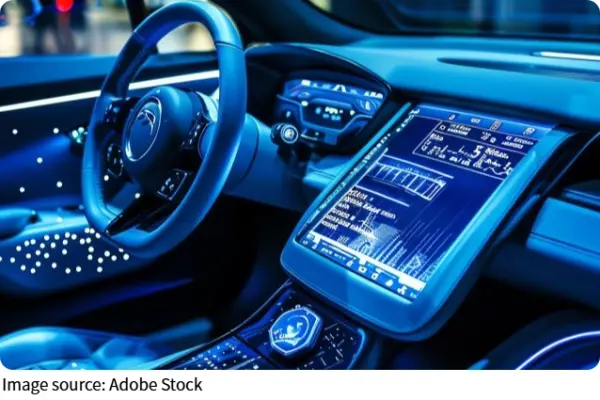
Why screens took over
A big reason manufacturers moved toward screens is flexibility. A touchscreen can combine many functions into one surface, which helps reduce the number of separate parts spread across the dashboard. Instead of building different buttons for navigation, media, climate, seat settings, and vehicle options, a screen can gather them into software. For car makers, this can simplify design, create a cleaner cabin look, and allow updates that add or change features later. It is like swapping a toolbox full of single-purpose gadgets for one multitool, sleek and compact, even if it takes a moment longer to unfold the right piece.
Screens also fit the wider trend of connected technology. Drivers now expect maps, media streaming, phone integration, rear-view camera displays, and customizable settings in one place. A digital interface can handle all of that more easily than rows of fixed switches. It also gives brands room to create a futuristic identity, since a large display instantly signals that a car is modern and tech-heavy.
What changes for drivers
The driving experience changes in a very practical way when physical controls vanish. Buttons and dials offer tactile feedback. You press, turn, or slide them, and your fingers confirm the action. A touchscreen is smoother and flatter, so it often asks for more visual attention. The driver may need to glance at menus, icons, or subpages just to adjust cabin temperature or change fan speed. That can make simple tasks feel less immediate.
There is also the issue of muscle memory. Physical controls often stay in one spot and have distinct shapes, so drivers learn them quickly. A round dial feels different from a rocker switch or a stalk behind the steering wheel. On a touchscreen, many controls share the same flat surface. The function may be hidden behind another screen, and the location can change depending on the menu. This can make familiar tasks feel less automatic, especially when the driver needs to make a quick adjustment without taking their eyes off the road.
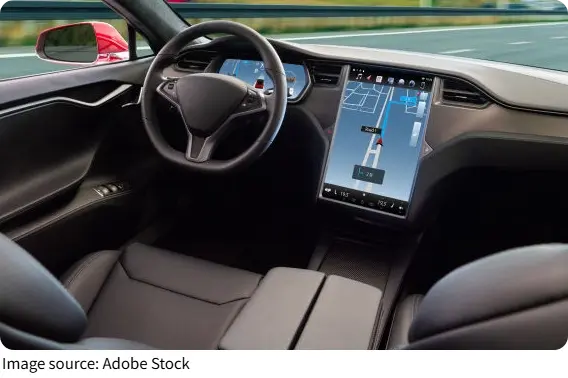
The good side of digital cabins
This does not mean smart screens are all trouble. They can present more information clearly, especially for navigation, parking cameras, media libraries, and vehicle settings. They can also support voice commands and steering wheel controls, which may reduce the need to touch the main display for every task. In some cars, digital systems let drivers customize shortcuts, save preferences, and receive software improvements over time. That level of adaptability is something traditional fixed controls cannot match as easily.
Digital displays can also clean up dashboard clutter. Instead of dozens of buttons competing for space, the cabin can feel calmer and more organized. For some drivers, that makes the interior feel premium and less intimidating. New users may appreciate a central place where most features live, especially if the layout is simple and responsive.
Why the debate keeps going
The tension comes down to convenience versus immediacy. Screens can do more, but buttons can be easier to use without thinking. For tasks used constantly while driving, such as temperature, fan speed, defogging, and audio volume, many people still value physical controls because they are fast and predictable. For settings used less often, a screen may work perfectly well.
Designers are still trying to find the sweet spot. Some cars keep core controls as buttons or dials and move secondary features into the display. Others lean heavily on software and voice interaction. The best experience usually comes from balance, where important driving-related functions stay easy to reach, and the screen handles the deeper customization in the background.
As cars continue moving into the smart screen era, the real question is not whether technology belongs in the cabin. It clearly does. The better question is how that technology should serve the driver without turning every small adjustment into a mini treasure hunt. If a car can blend digital convenience with the simple confidence of tactile controls, that is when the cabin truly feels smart instead of just shiny.